

Guide
From a blank name
to a launched coin.
Eight steps. The first five cost nothing. Nothing on-chain happens until step six, and only after your wallet shows you the transaction.
-
Open the office
Go to launchfly.fun. It is a WebGL scene, so a laptop or desktop is the best seat in the house; on a phone the panels become tabs (Team, Brain, Feed, Map). No account is needed.
-
Name the coin — or don't
Type a coin name (up to 32 characters) and press Start the workday, or press Let the flies choose and the concept team will read the market and find one. Pick a sprint length first: 60 s for a quick look, 3 min for the full experience, 10 min if you want to watch an office breathe.
-
Sit in on the board meeting
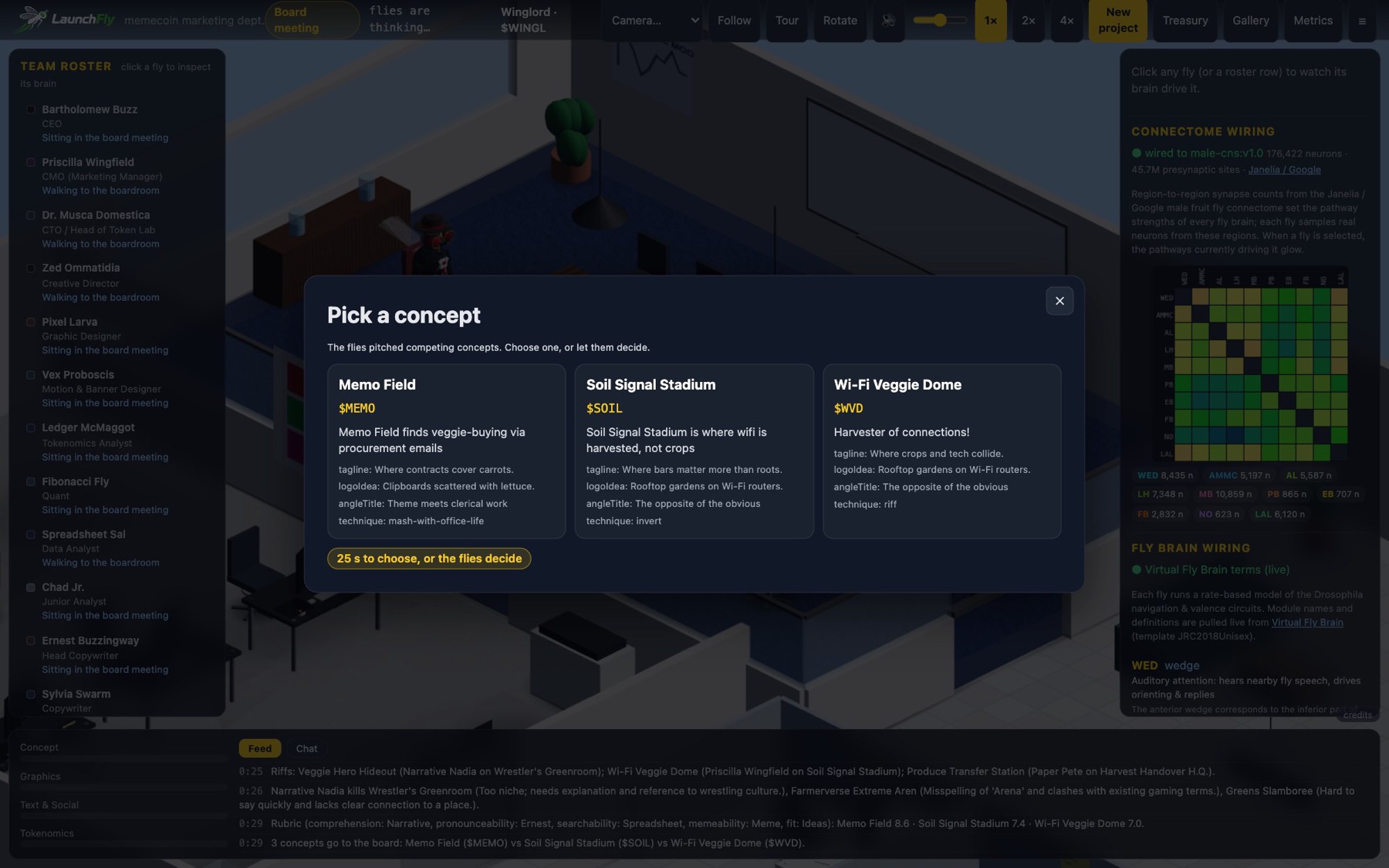
Follow the debate in the Feed at the bottom. When the concept picker appears with two or three candidates, click the one you like. If you do nothing, the CEO picks by rubric after 25 seconds. Once a concept wins, the bible is written and departments get their briefs.
-
Direct the sprint
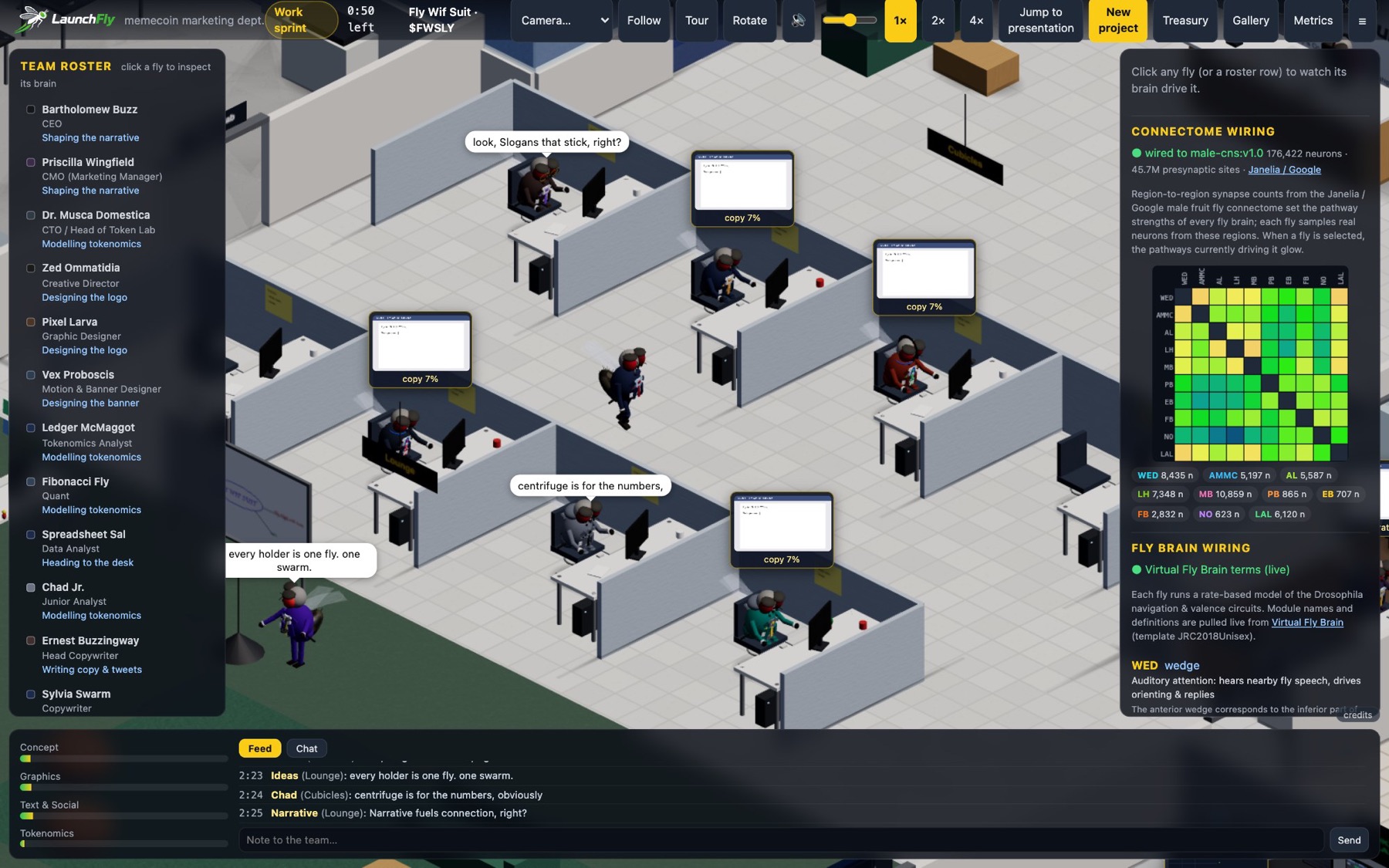
- Click any fly (or its roster row) to open its brain and see what is driving it. Try the ablation switches.
- Camera… jumps to a room; Follow tracks the selected fly; Tour runs a cinematic auto-tour; Rotate enables right-drag orbiting.
- 1× / 2× / 4× change the simulation speed. Jump to presentation skips the rest of the sprint.
- Note to the team (bottom bar) sends a mid-sprint instruction — “more retro”, “no purple”, “it should feel expensive” — and the flies regenerate lore and re-point the image prompts.
- Chat tab: talk to a fly directly. It answers in character and remembers.
- Watch the department bars on the left; a bar that is not moving is usually waiting on another department.
-
Read the pitch card
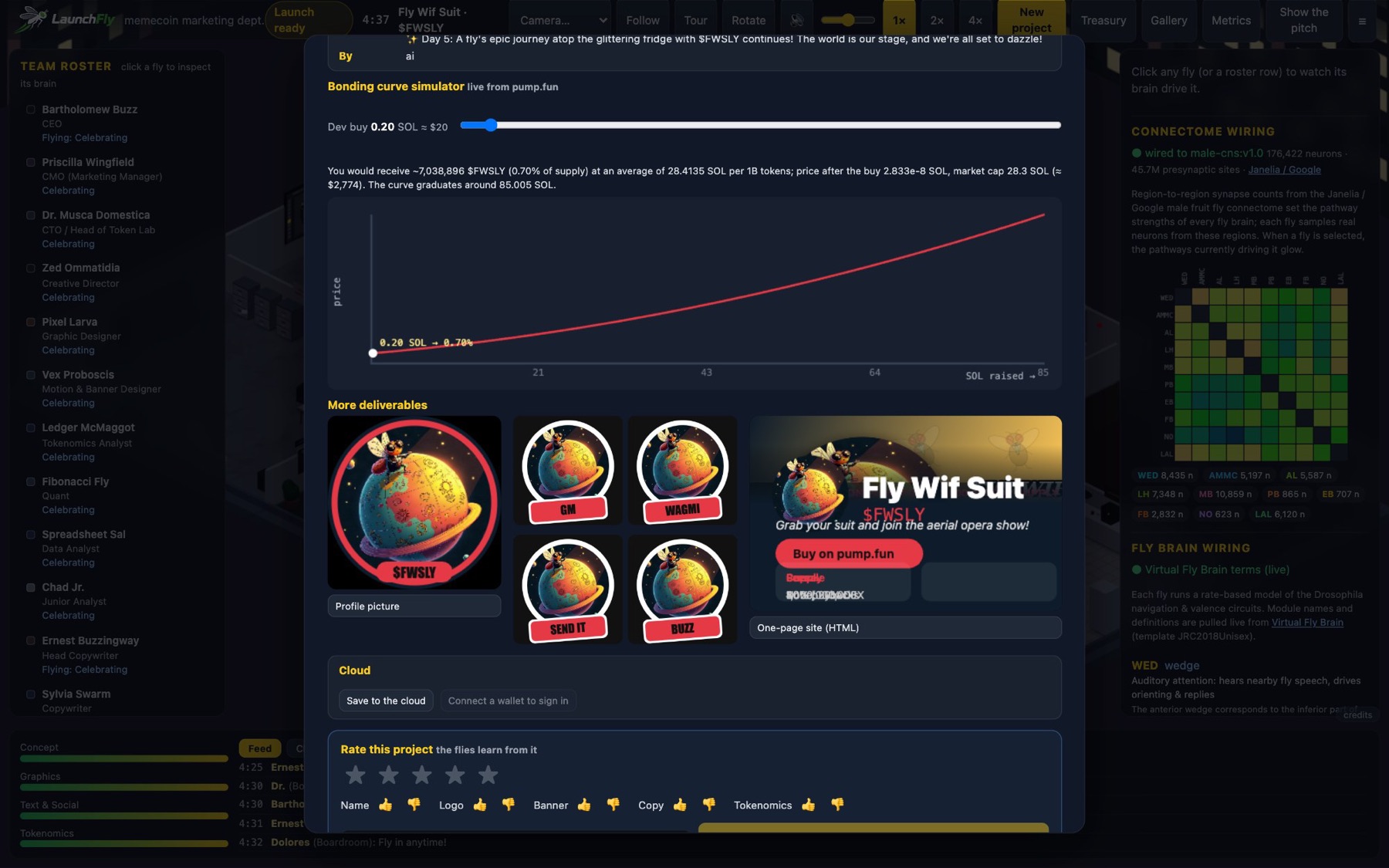
At the presentation the pitch card opens with the name, ticker, description, logo, banner and bible; the idea lineage; the judge's meme-potential score; the twenty posts (set your launch time and timezone and they re-anchor); stickers; and the bonding-curve simulator, which uses live pump.fun constants to show what a given dev buy does, in SOL and USD.
Download everything (.zip) gives you the logo, banner, PFP, stickers, posts, a one-page site and the brief. You can also copy the name, ticker and description, or open pump.fun/create and launch manually with those files.
-
Launch from the site
- Click your wallet in the launch panel — Phantom, Solflare and Backpack are detected; other Solana wallets that inject
window.solanaalso work. - Set the dev buy in SOL (the amount of your own coin you buy at creation). Add your X, Telegram and website links if you have them.
- Read the pre-flight summary: which programs the transaction calls, every transfer and its recipient, and the total SOL that can leave your wallet. The site refuses to continue if anything is outside the allow-list.
- Tick the acknowledgement — this creates a real token on Solana mainnet and cannot be undone — and press launch. Your wallet shows the transaction; you sign. The mint keypair is generated in your browser and used once.
Budget roughly: dev buy + PumpPortal's trading fee on that dev buy + ~0.03 SOL rent + a small priority fee. Keep a little extra SOL in the wallet. See Safety for exactly what is checked. - Click your wallet in the launch panel — Phantom, Solflare and Backpack are detected; other Solana wallets that inject
-
After the launch
The dashboard shows the mint, links and live stats. If you saved the run, the coin has a permanent public page at
/coin/<id>with Open Graph tags (share it — the preview carries the logo) and live pump.fun numbers; a tracker refreshes them every 15 minutes. The Gallery lists past coins and the department leaderboard. -
Rate the work
Stars, thumbs per aspect and an optional note. Ratings feed each fly's memory and the judge; the note becomes a fact about you that the flies bring up next time. Sign in with your wallet (a signed message, no transaction, no fee) to keep runs, ratings and fly memories across devices.
Reference
Controls cheat-sheet
| Action | How |
|---|---|
| Pan / zoom | Drag / scroll (pinch on touch) |
| Orbit | Turn on Rotate, then right-drag |
| Inspect a fly | Click it, or click its row in the roster |
| Follow a fly | Select it, press Follow |
| Room camera | Camera… dropdown (Boardroom, Lobby, CEO, CMO, Break room, Token lab, Graphics lab, Print room, Cubicles, Lounge, Overview) |
| Speed | 1× · 2× · 4× |
| Skip the sprint | Jump to presentation |
| Hide the panels | ☰ in the top right |
| Sound | Speaker button and the volume slider |
| New run | New project |
| Treasury, Gallery, Metrics | Buttons in the top right |
| Show the pitch again | Show the pitch after a presentation |